PHP PDO Prepared Statements: Safely Query MySQL Step by Step
A beginner-friendly but practical guide to building safer MySQL queries with PDO placeholders.
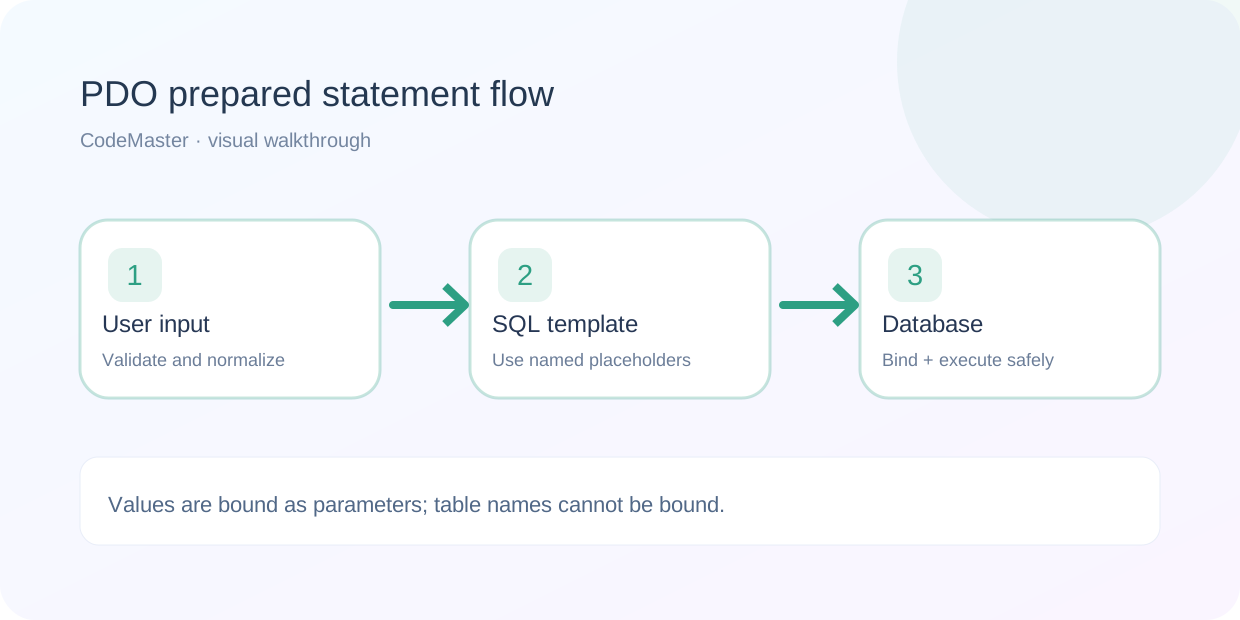
SQL injection usually appears when application values are mixed into query text. A query can look harmless during development and become dangerous once a field contains unexpected characters. PHP PDO gives you parameterized statements so the SQL structure and the supplied data remain separate.
This tutorial uses MySQL and PHP 8.1+ with the pdo_mysql extension. It focuses on safe values and predictable errors; production applications still need authentication, authorization, least-privilege database users and secure secret storage.
1. Start with a small sample table
Create a local test database and table you can safely experiment with. Use a dedicated development database rather than your live production database.
CREATE TABLE customers (
  id INT UNSIGNED NOT NULL AUTO_INCREMENT,
  name VARCHAR(100) NOT NULL,
  email VARCHAR(190) NOT NULL,
  PRIMARY KEY (id),
  UNIQUE KEY unique_customer_email (email)
) ENGINE=InnoDB DEFAULT CHARSET=utf8mb4;
2. Connect using PDO and strict error handling
Create a PDO instance, set an explicit character set, and allow exceptions. Load database credentials from your server environment. The code intentionally does not contain a real password.
<?php
declare(strict_types=1);

$host = getenv('DB_HOST') ?: '127.0.0.1';
$dbname = getenv('DB_NAME') ?: 'codemaster_demo';
$user = getenv('DB_USER');
$password = getenv('DB_PASSWORD');

if ($user === false || $password === false) {
    throw new RuntimeException('Missing database credentials');
}

$dsn = "mysql:host={$host};dbname={$dbname};charset=utf8mb4";
$pdo = new PDO($dsn, $user, $password, [
    PDO::ATTR_ERRMODE => PDO::ERRMODE_EXCEPTION,
    PDO::ATTR_DEFAULT_FETCH_MODE => PDO::FETCH_ASSOC,
    PDO::ATTR_EMULATE_PREPARES => false,
]);3. Select one row by a validated ID
Validate route parameters before querying. Use a named placeholder for the ID and bind it as an integer. Never concatenate input into the WHERE clause.
<?php
declare(strict_types=1);
require __DIR__ . '/database.php';

$id = filter_input(INPUT_GET, 'id', FILTER_VALIDATE_INT);
if ($id === false || $id === null || $id < 1) {
    http_response_code(422);
    exit('A positive id is required');
}

$stmt = $pdo->prepare(
    'SELECT id, name, email FROM customers WHERE id = :id LIMIT 1'
);
$stmt->bindValue(':id', $id, PDO::PARAM_INT);
$stmt->execute();
$customer = $stmt->fetch();

header('Content-Type: application/json; charset=utf-8');
if (!$customer) {
    http_response_code(404);
    echo json_encode(['error' => 'Customer not found']);
    exit;
}
echo json_encode($customer, JSON_UNESCAPED_UNICODE | JSON_THROW_ON_ERROR);
This example is for a local learning project. A real customer endpoint should first verify that the authenticated caller is authorized to read the selected customer record.
4. Insert values with a prepared statement
$name = 'Sam';
$email = '[email protected]';

$stmt = $pdo->prepare(
    'INSERT INTO customers (name, email) VALUES (:name, :email)'
);
$stmt->execute([':name' => $name, ':email' => $email]);
$newId = (int) $pdo->lastInsertId();
Validate $name and $email before insertion. Bound parameters protect the SQL query structure; they do not decide whether the submitted data is accurate, allowed or appropriately sized.
5. Understand what placeholders cannot do
Placeholders are for values, not SQL keywords, table names or column names. If users choose a sort order, map that choice to a small allowlist of known column names rather than placing it directly into the query.
$allowedSort = ['name' => 'name', 'created' => 'id'];
$choice = $_GET['sort'] ?? 'name';
$column = $allowedSort[$choice] ?? 'name';

$stmt = $pdo->query("SELECT id, name FROM customers ORDER BY {$column}");
$rows = $stmt->fetchAll();
In this example the selected column comes only from hardcoded values. It is not the raw query parameter, which would be unsafe to interpolate.
6. Diagnose failures without leaking secrets
During development, inspect the exception details in a local log. On public servers, catch unexpected failures at the application boundary, record an appropriate internal error event, and return a generic message. Do not display credentials, DSN strings or SQL driver details to end users.
7. Checklist before putting PDO code into an API
- Use a dedicated database user with only the privileges the application actually needs.
- Keep credentials outside the repository and outside the public document root.
- Validate inputs, including IDs, strings, lengths and authorization scope.
- Use placeholders for values, with explicit types where useful.
- Use an allowlist for dynamic identifiers such as sort column names.
- Handle unique-key conflicts and missing rows deliberately.
- Review transactions when multiple statements must succeed or fail together.
- Use prepared statements and authorization checks together; one cannot replace the other.
Frequently asked questions
Are PDO prepared statements enough to prevent every kind of injection?
They protect value binding in prepared statements, but not dynamically assembled SQL identifiers, stored procedure bugs or other code paths that still concatenate untrusted text. Audit every place where SQL is constructed.
Why set charset=utf8mb4 in the DSN?
It ensures the connection is configured for full Unicode support in MySQL. A consistent, explicit character set also helps avoid unexpected encoding behavior.