JavaScript Fetch API: Handle JSON, HTTP Errors and Timeouts
Make fetch reliable: parse JSON, catch real network errors, check HTTP status and show clear UI states.
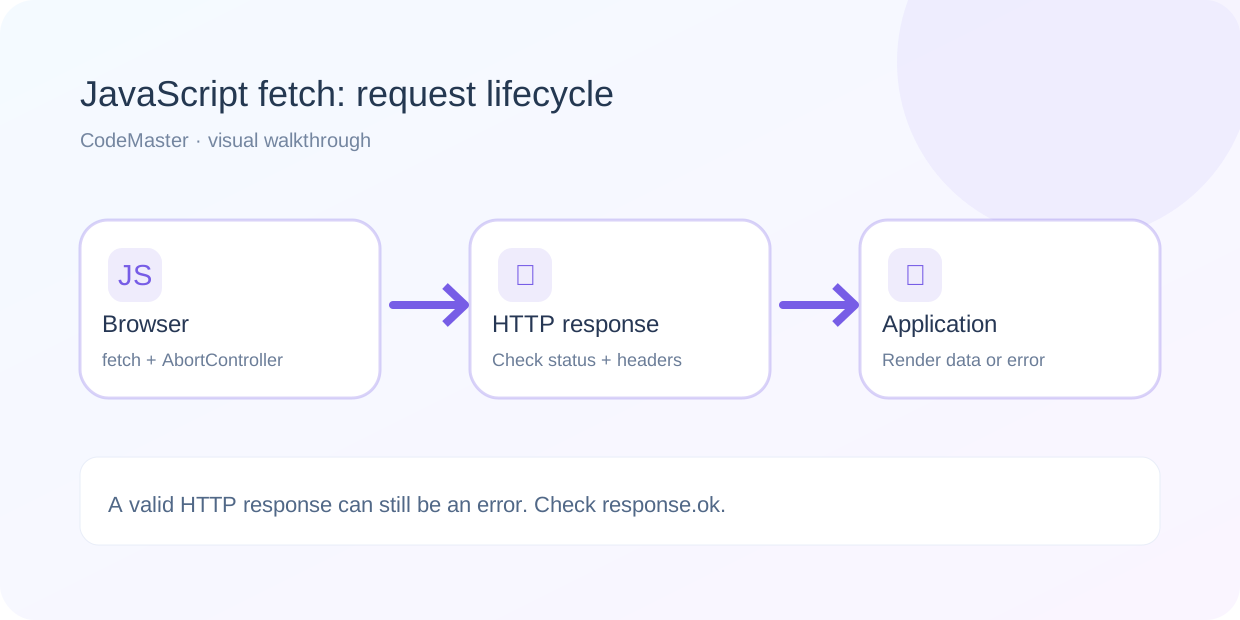
The browser Fetch API feels simple until a request fails at the wrong time. A user might lose connection, the server might respond with HTTP 404, or an endpoint might return HTML instead of JSON. If you handle all of those cases the same way, it becomes difficult to show a useful message or debug the actual problem.
This guide builds a small JavaScript helper that handles timeouts, HTTP errors, malformed JSON and a clean loading state. It uses plain browser JavaScript rather than a framework so the behavior is easier to see.
1. Know what fetch resolves and rejects
A key detail: fetch() usually resolves when an HTTP response arrives, even if that response has status 404 or 500. It rejects for network failures or when the request is aborted. Always check response.ok rather than assuming a resolved Promise means success.
const response = await fetch('/api/profile');
if (!response.ok) {
  throw new Error(`HTTP ${response.status}`);
}
const profile = await response.json();
2. Add a timeout and read the body once
To keep the interface responsive when requests hang, use an AbortController and a timer. Read the response body once as text, then parse it as JSON. This lets you create a clear error if the server returns a non-JSON page.
export async function getJson(url, { timeoutMs = 8000 } = {}) {
  const controller = new AbortController();
  const timer = setTimeout(() => controller.abort(), timeoutMs);

  try {
    const response = await fetch(url, {
      signal: controller.signal,
      headers: { Accept: 'application/json' }
    });

    const raw = await response.text();
    let result;
    try {
      result = raw ? JSON.parse(raw) : null;
    } catch {
      throw new Error('The server returned invalid JSON');
    }

    if (!response.ok) {
      const serverMessage = result?.message || result?.error;
      throw new Error(serverMessage || `HTTP ${response.status}`);
    }

    return result;
  } catch (error) {
    if (error.name === 'AbortError') {
      throw new Error('The request timed out');
    }
    throw error;
  } finally {
    clearTimeout(timer);
  }
}
This helper assumes that your API returns JSON. Empty successful responses such as HTTP 204 produce null. Authentication failures and unexpected HTML errors should be handled in a way that fits your actual backend contract.
3. Show the user loading, success and error states
The example below assumes your page has a status element and a button. Give users one visible place to look while an operation runs and a simple way to retry.
<button id="loadProfile" type="button">Load profile</button>
<p id="status" role="status" aria-live="polite"></p>
<pre id="result"></pre>
<script type="module" src="ui.js"></script>import { getJson } from './api.js';
const button = document.querySelector('#loadProfile');
const status = document.querySelector('#status');
const result = document.querySelector('#result');
button.addEventListener('click', async () => {
button.disabled = true;
status.textContent = 'Loading profile…';
result.textContent = '';
try {
const data = await getJson('/api/profile.php?id=42');
result.textContent = JSON.stringify(data, null, 2);
status.textContent = 'Profile loaded.';
} catch (error) {
status.textContent = `Could not load profile: ${error.message}`;
} finally {
button.disabled = false;
}
});4. Handle API messages carefully
Use textContent when writing server-provided messages to a page. Avoid assigning untrusted strings to innerHTML, which can turn data into executable markup. Also, do not store server secrets or privileged API keys directly in browser JavaScript.
5. Understand CORS and local testing
If your HTML runs on one origin and the API runs on another, the server may need a CORS policy that allows the browser’s origin. You cannot fix a server-side CORS rejection by adding an arbitrary request header in the browser. Test the API separately with curl, check your browser Network tab, and make sure your local frontend is served over HTTP rather than opened as a file:// document when modules are involved.
6. Troubleshooting quick reference
| Symptom | What to check |
|---|---|
| fetch rejects immediately | Network connection, DNS, mixed content, CORS, aborted request |
| HTTP 404 or 500 | Backend route and server logs; inspect response status |
| Unexpected token < in JSON | Server likely returned an HTML page; inspect raw response |
| Loading never ends | Timeout and finally cleanup, unresolved promises |
| Works in Postman but not browser | Cross-origin/browser restrictions and credentials settings |
Frequently asked questions
Does fetch automatically reject when the server returns 500?
No. Check response.ok or status. A network failure is different from an HTTP response that indicates an application or server error.
Should every API request use a timeout?
A timeout is useful, but the duration should reflect the operation. A quick profile lookup and a long-running report may need different limits and cancellation behavior.